Overview #
PLDATA (Alias: PLD) lists polyline data for selected polyline entities in DWGSeeCAD. It is dedicated to polyline information query, different from the generic LIST command which supports all object types. It outputs structured polyline geometric data to the excel window for review.
Command Prompts #
- Select polyline: Select one or more polyline objects from the drawing.
- Press Enter, DWGSeeCAD outputs polyline-specific data to the excel window.
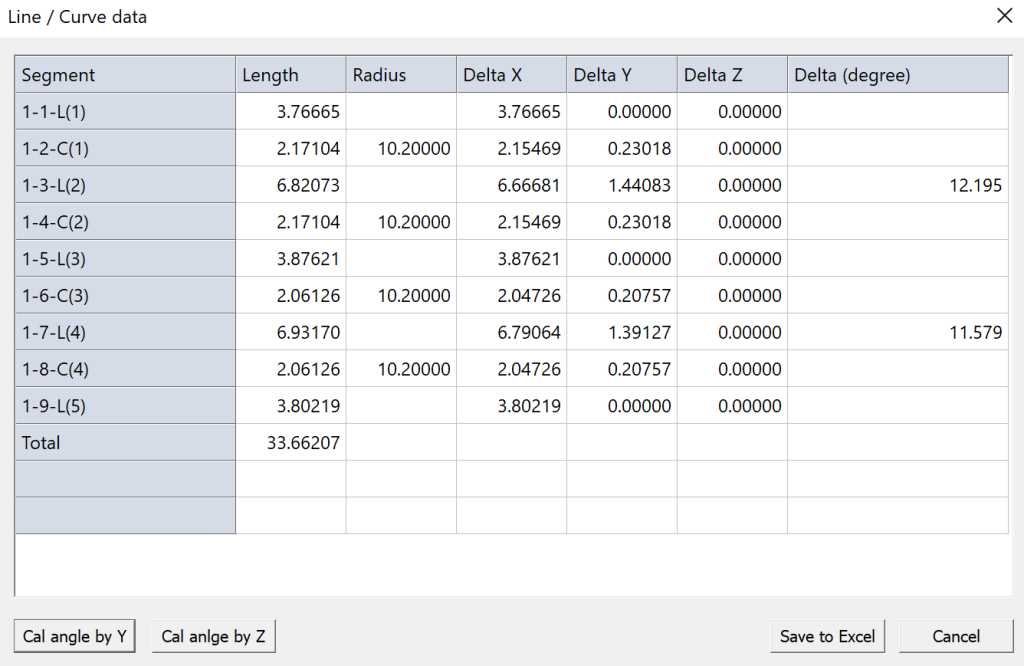
Data Output #
- Polyline type: 2D polyline
- Total length
- Elevation value
- Global width and per-segment width
- Vertex coordinates (X,Y,Z)
- Bulge value for arc segments
- Angle value between two adjacent vertices
Usage Notes #
- PLDATA only works for polyline objects. Lines, arcs, circles, splines and other entities are not supported.
- This is a read-only inquiry command; it cannot modify polyline geometry or properties.
- You may extract the output vertex data for downstream calculation or data export.
- Use LIST if you need to query properties of mixed multiple object types.
Application Scenarios #
Use PLDATA when you need fast extraction of polyline vertex coordinates, check arc bulge parameters, get length for land survey, site boundary, profile, piping and roadway layout drawings.


