EditDyBlk #
Overview #
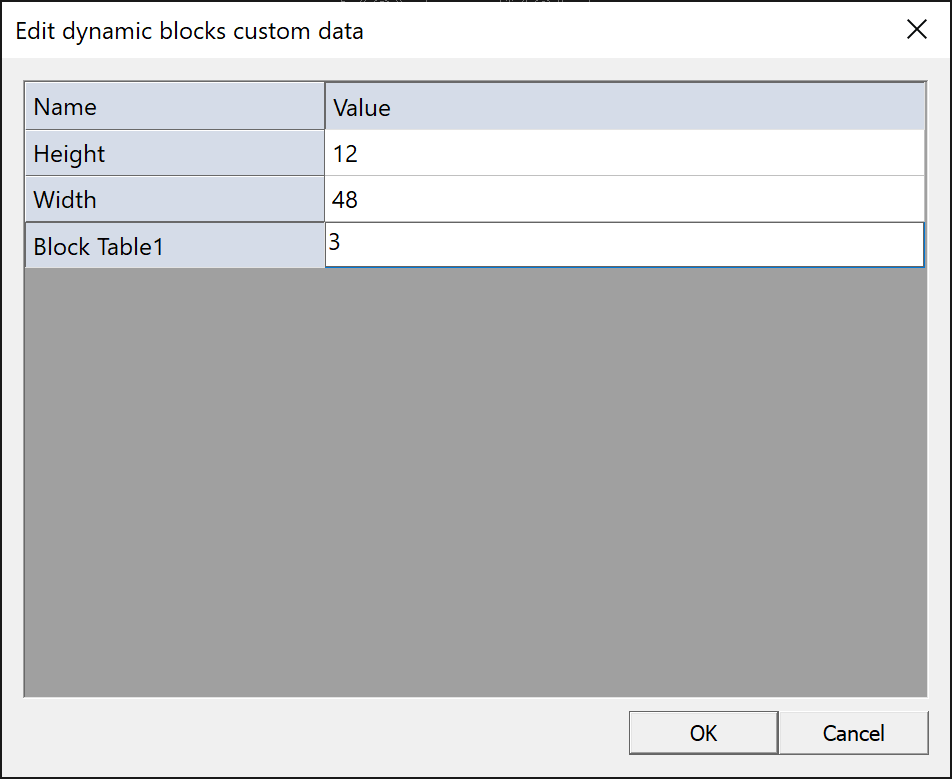
EditDyBlk is a command in DWGSeeCAD used to modify parameters of dynamic blocks. After selecting dynamic block references, you can adjust the dynamic parameters of the block.
Command Prompt Sequence #
- [Block Dynamic Parameter] Select Dynamic Blocks to Edit:
Key Notes #
- This command only works for dynamic block references. Static blocks are not supported.
- You can select one or multiple dynamic blocks at once.
- After selection, the dynamic parameter panel will pop up for you to modify block properties.
- Parameter changes will apply to the selected dynamic block instances.
Application Scenarios #
It is widely used in mechanical and architectural drawings to quickly adjust dynamic block parameters such as size, visibility and position without redefining blocks.


