InsXref #
Overview #
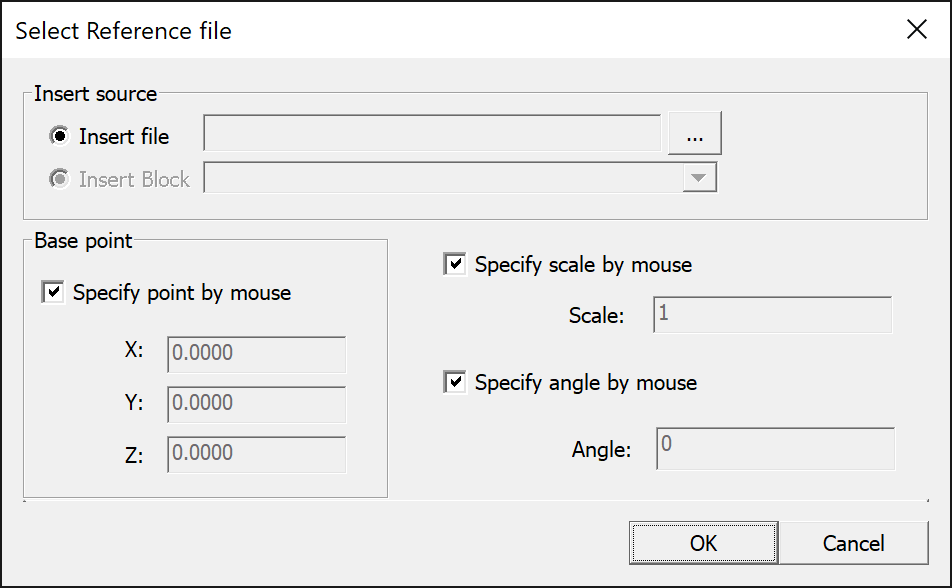
InsXref is a command in DWGSeeCAD used to attach external reference files (Xref) to the current drawing. It opens the Select Reference file dialog. You can choose to insert an external DWG file or select an existing block as the reference source, and configure base point, scale and rotation angle settings.
Command Prompt Sequence #
- [InsXref] Specify insertion point:
- [InsXref] Specify scale (1):
- [InsXref] Specify angle (0):
Key Notes #
- Two insert source options: Insert file to load an external DWG file, or Insert Block to use an existing block definition inside the drawing.
- Base point: Toggle Specify point by mouse to pick the base point on canvas manually, or input X/Y/Z coordinate values directly.
- Scale: Toggle Specify scale by mouse to set scale interactively, or enter a numeric scale value.
- Angle: Toggle Specify angle by mouse to set rotation interactively, or input a rotation angle value.
- An external reference is linked rather than embedded. Updates to the source file will be reflected in the host drawing after reloading.
Application Scenarios #
It is widely used for collaborative design. You can reference standard parts, layout drawings, or base maps without merging all geometry into the current drawing, which keeps the drawing file lightweight and easy to manage.


